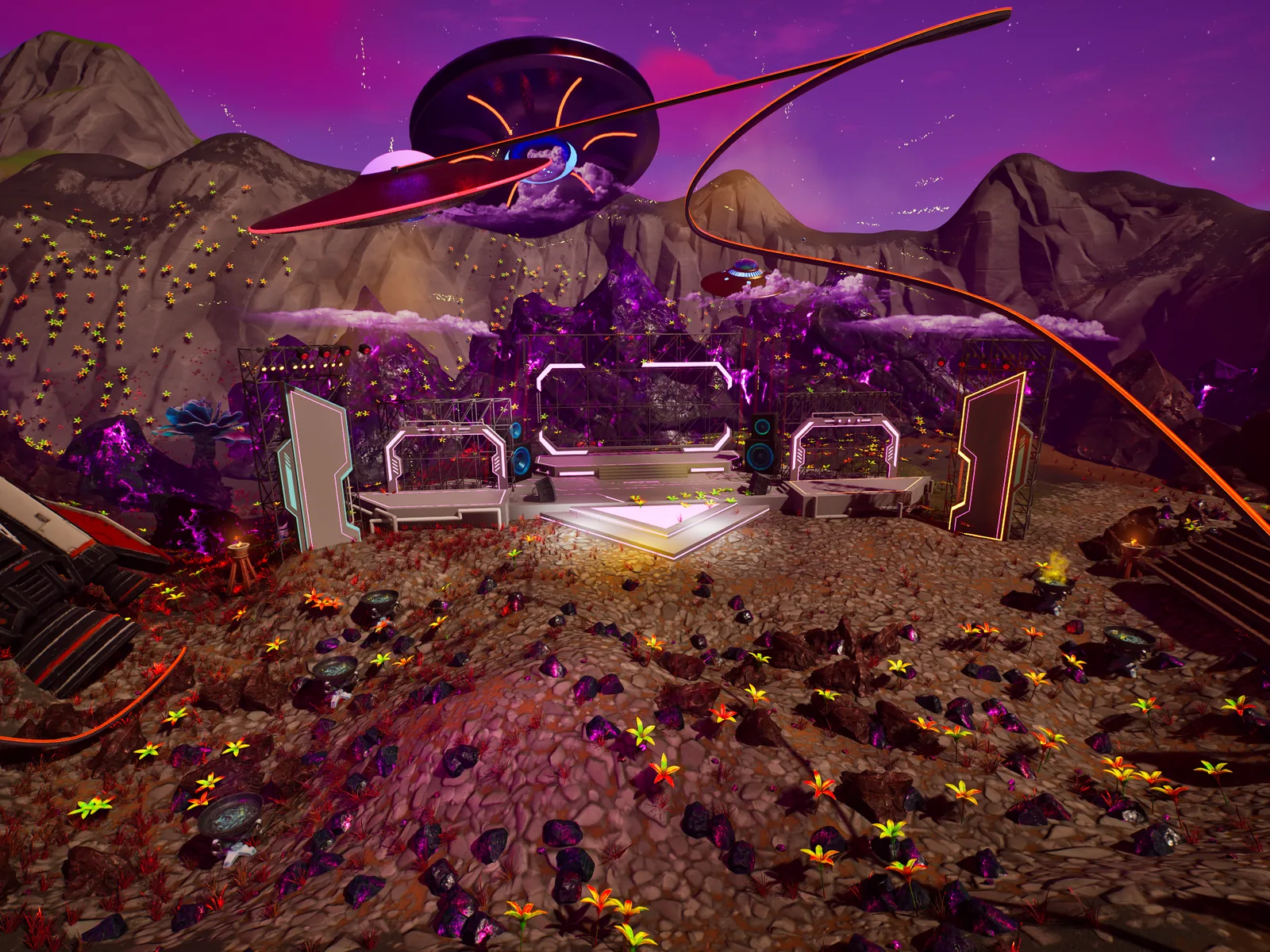
Before step one
- New to UEFN? Do tutorial 00: setup first. It covers the software, your Epic developer account and how to add a Verse file.
- UEFN installed and an island you can push to a private playtest.
- The rights to the music. Sort this before you build, not the week of the show.
- At least two testers. Half the traps below only show up with more than one player: late joiners, respawns, mass teleports.
- A date and a time, including which timezone you announced it in.
- Audio exported as one file per track, not one long mix.
Download the Verse files
Complete files used in this tutorial; each works on its own. How to add one: setup step 7. Build-check in UEFN pending.
Set the island baseline
Island Settings decides how people move before, during and after the show. Get it right first, because every rehearsal from here on depends on it. The Details panel labels don't always match the underlying property names, which matters the moment you search for a setting.
Fortnite calls stamina Energy internally. Searching for "stamina" finds nothing.
| What you want | Property | Notes |
|---|---|---|
| Glider always usable | bGliderRedeploy, bGliderRedeployable | Set both |
| Infinite stamina | bInfiniteLoadedEnergy, bInfiniteReserveEnergy | "Energy", not "stamina" |
| Player-vs-player damage | bAllowFriendlyFire | On a single-team island, this is PvP |
| Fall damage | bFallDamage, fallDamageMultiplier | Off is kinder to a crowd |
What to place
- Select the Island Settings device in the Outliner.
- Set glider redeploy, energy and fall damage for the show you want.
- Leave
teamDamageFilteralone unless you mean structures (see trap).
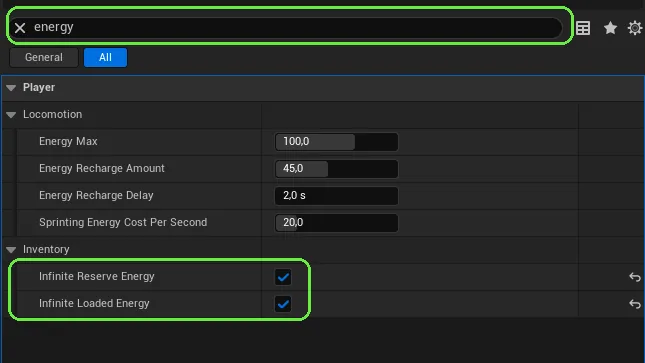
teamDamageFilter looks like a PvP setting. It isn't: it controls which structures players can damage, based on who built them.
In a playtest you can jump off a ledge, redeploy your glider mid-air and land without taking damage.
Count down to a real date and time
The show is triggered by a countdown to a wall-clock time. GetSecondsSinceEpoch() gives you UTC, and converting your local announced time into it is your job. There is no timezone or daylight-saving support in Verse.
A fixed offset constant is only correct for half the year. Put it at the top of the file, comment it loudly, and put a reminder in your calendar for each clock change.
# Amsterdam: 1 in winter, 2 during summer time.
# No automatic DST -- this gets flipped by hand at each clock change.
TimeZoneOffsetHours : int = 2What to place
- A Verse device running
live_event_manager. - A Billboard or HUD element for the countdown text. Billboards take a
message, not astring, so keep a smallStringToMessagehelper. - The trigger the countdown fires when it hits zero (it starts step 7's show).
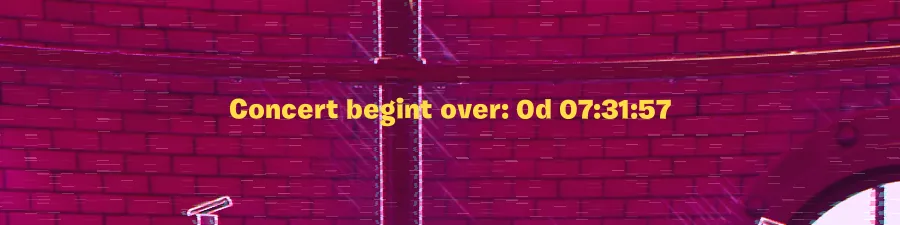
Wrong offset, and the show fires exactly one hour off the time you typed. This happened to this project once, publicly.
You set the target five minutes ahead, launch a playtest, and the trigger fires on the minute your phone's clock says it should.
Build the venue and give it its own spawner
Every enabled Player Spawner is a candidate for both initial spawn and respawn. The moment you place a second one anywhere in the level, it starts catching ordinary spawns. And a newly placed spawner is enabled by default.
The pattern: give the show a dedicated spawner, Disable() it in OnBegin, and swap enabled state on both sides when the show starts and ends. World spawners off and venue spawner on at show start; the reverse at the end.
What to place
- The venue itself, away from the main world.
- One Player Spawner inside the venue, reserved for the show.
- In your show device, an
@editablefield for that spawner, and for each world spawner. - Wire each field to its actor in the Details panel. This is the step people skip.
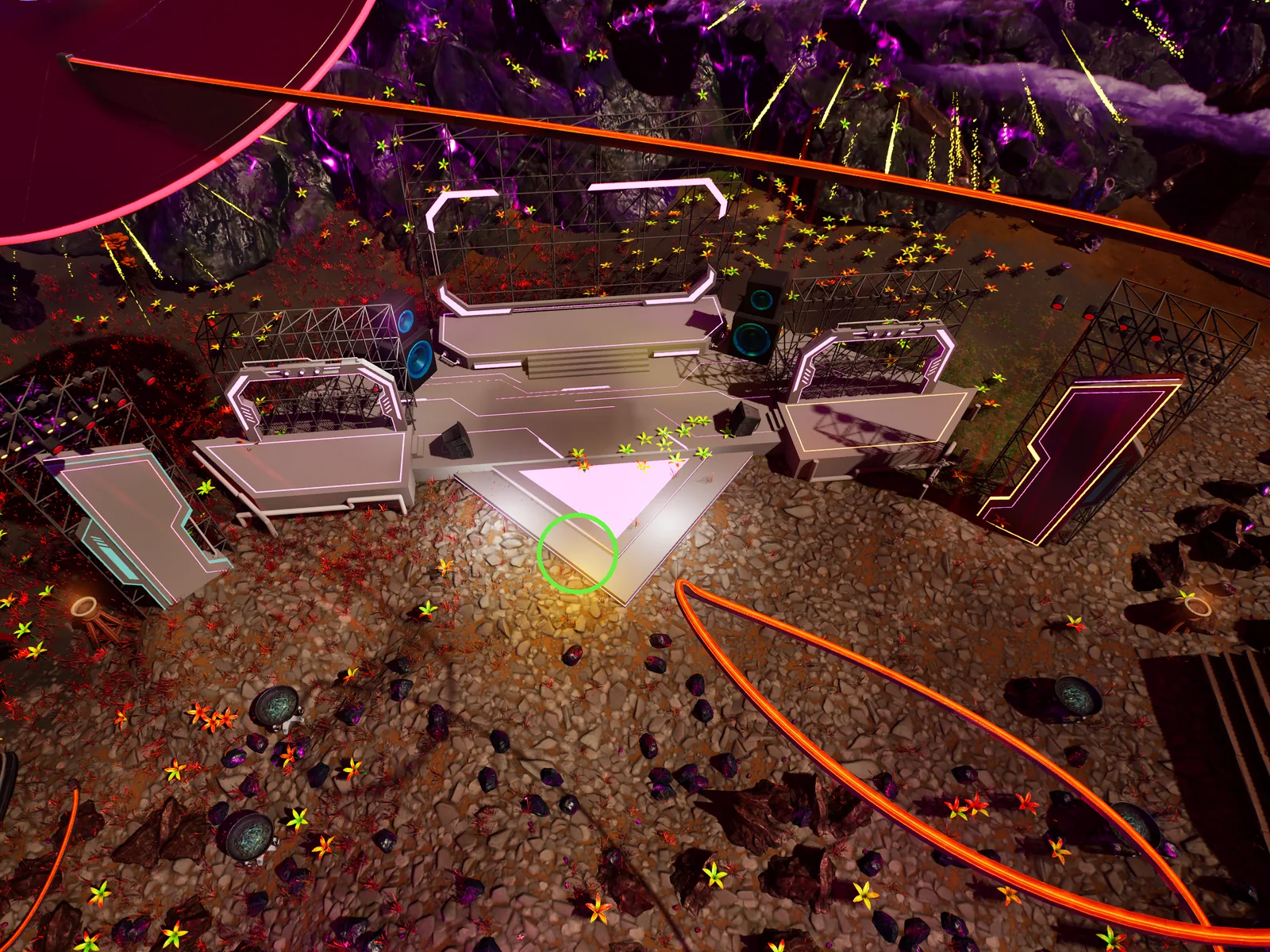
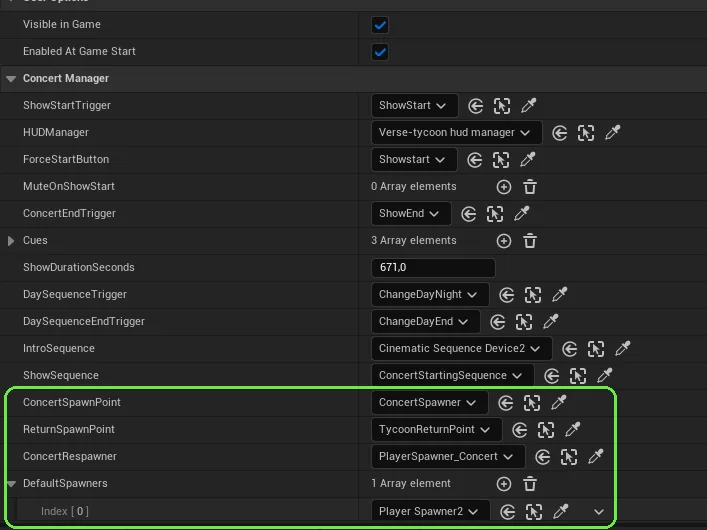
A Disable() call does nothing until the @editable field is actually wired to that actor. An empty field silently no-ops, the spawner stays on, and players start appearing at your half-built venue.
Outside show time, you die ten times and never respawn at the venue. During a rehearsal, you die on purpose and respawn at the venue.
Add the audio, synced, one device per track
Use one Audio Player device per track rather than one long mix, so cues can start and stop individual songs. Then turn on the one setting that matters: syncPlayerAudio. It is off by default.
Without it, a track started at minute two is simply not playing for anyone who arrives at minute three. They don't get a late start, they get silence for the rest of the song. That covers latecomers, reconnects and anyone who respawns, which is how it usually gets discovered: someone dies during a show and the music is gone for them.
| Property | Set to | Why |
|---|---|---|
syncPlayerAudio | On | Keeps every player on the same point in the track |
loopAudio | Off | The cue list decides when a song ends |
limitAudioDistance | Your call | Off = heard everywhere; on = falls off by audioDistance |
What to place
- One Audio Player per track, named after the track.
- On each: enable Sync Player Audio.
- Decide distance limiting once and apply it to all of them.
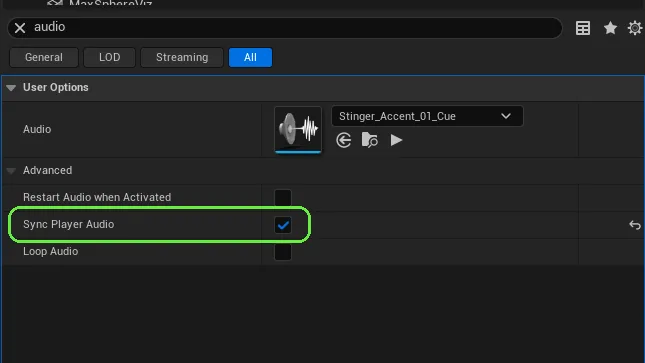
Leaving sync off works perfectly in a solo test. It only breaks for the second person, and only after they die.
With two testers, one dies thirty seconds into a song, respawns, and still hears it at the same point as the other.
Place the lights and name them properly
Show lighting is Customizable Light devices, switched with TurnOn() and TurnOff(). You will drag dozens of them into cue arrays by hand in step 7, and naming is the difference between twenty minutes and an afternoon.
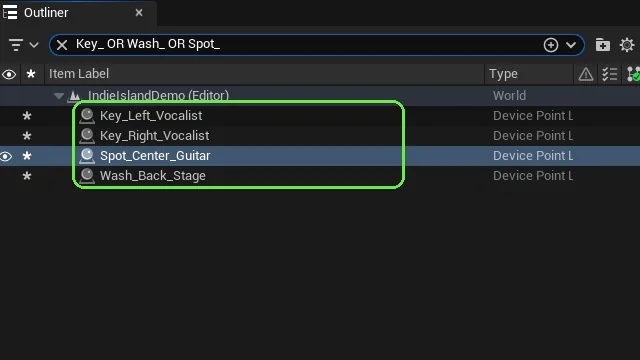
Name them by position and subject: Key_Left_Vocalist, not Light12.
What to place
- Customizable Lights around the stage, grouped by what they light.
- Rename each in the Outliner:
Role_Position_Subject. - Optional: VFX Spawners for effects (see note).
The VFX Spawner's effect defaults to DiscoBalls, which is easy to miss. A custom Niagara system assigned through customVisualEffect never rendered in this project, and the cause is still unknown. A coloured Point Light was used instead and worked. Don't count on custom Niagara for show day.
Someone else can look at the Outliner and tell you which light hits the vocalist from the left.
Make the post-process looks, and test them fast
A Post Process device per look (BlendInForAll(), BlendOutForAll() from Verse). Tuning looks by running the whole show each time is painfully slow. Instead, wire a spare Button's interact event straight to the device's Enable For All and Blend In For All in the Details panel. Walk up, press it, see the look.
What to place
- One Post Process device per look. Set
blendInDurationandblendOutDuration. - A temporary Button per look. Wire it from the Post Process side: under User Options - Functions, add an element to Enable for All and Blend in for All, pick the Button and choose On Interact.
- Remove or hide the test buttons before you publish.
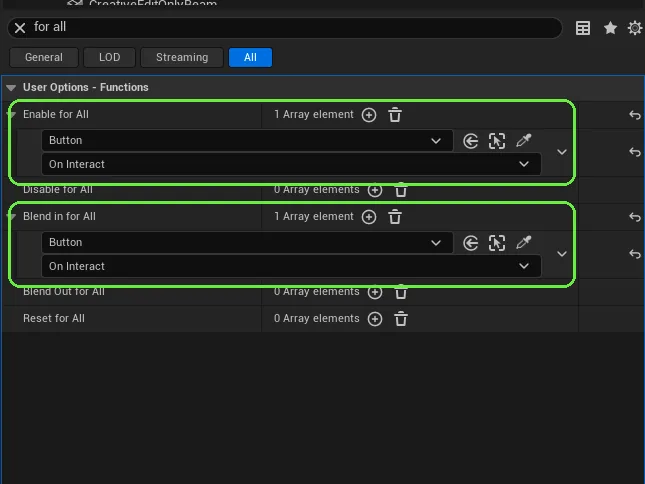
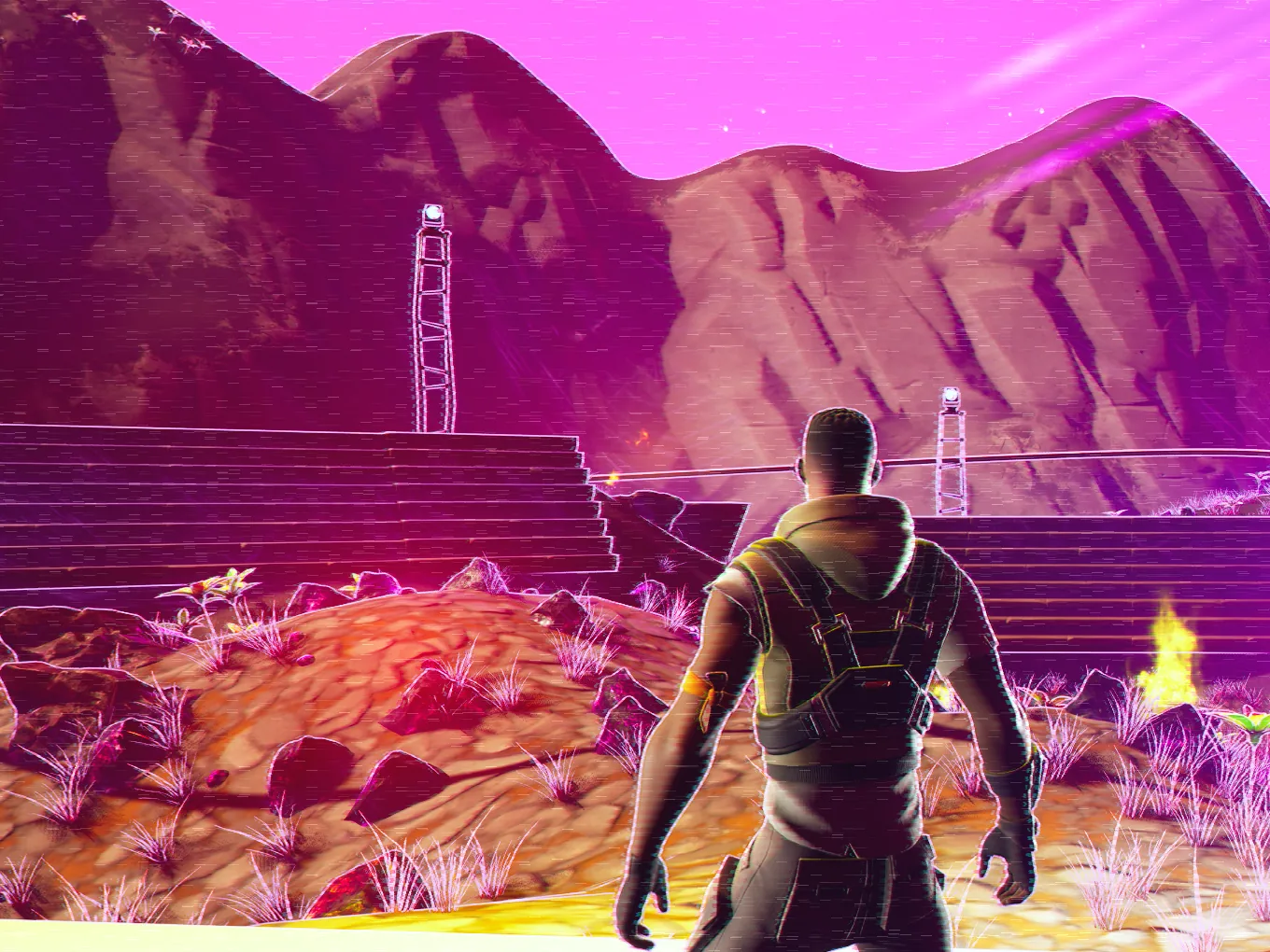
Blend the previous look out before blending the next one in, and track which one is active. Otherwise looks stack on top of each other.
In one playtest you press every test button in turn and each look replaces the last cleanly.
Write the show as a cue timeline
Model the show as an array of <concrete> cue structs. Each holds a timestamp plus everything that fires at it: tracks to start, lights to switch, the look to blend in. One loop sleeps the gap between cues. People who don't write code can then author the whole show in the Details panel.
Keep the end of the show as its own field. The last cue firing and the performance finishing are different moments.
# After the last cue: wait out the rest of the show,
# measured from ShowDurationSeconds -- NOT from the cue list.
RemainingSeconds := ShowDurationSeconds - ElapsedSeconds
if (RemainingSeconds > 0.0):
    Sleep(RemainingSeconds)
OnShowEnd()What to place
- The Verse device running
concert_manager. - Fill the cue array in the Details panel, one entry per moment.
- Set
ShowDurationSecondsto the real length of the set.
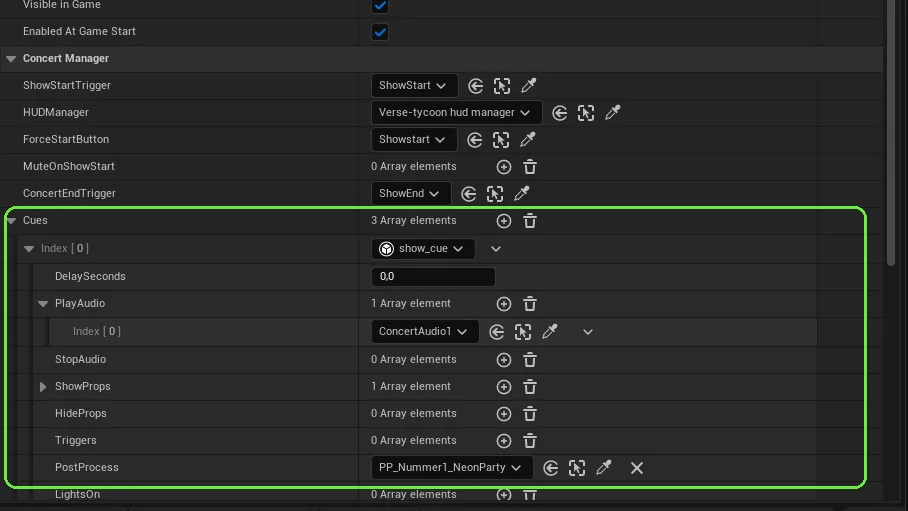
Struct arrays can only be filled by hand. Every field in the cue struct is a manual drag, multiplied by every cue. Keep the field count deliberate.
Tying the ending to the last cue cut a live show off mid-song in this project.
In a full rehearsal, the show-end fires after the last song has finished, not when the last cue fires.
Teleport everyone in, and back out
Place a prop as a marker where people should land, then move every player to its transform. Do the same in reverse at the end, with a marker in the world.
TeleportEveryoneTo(Marker : creative_prop) : void =
    Where := Marker.GetTransform()
    for (Player : GetPlayspace().GetPlayers()):
        # Fails silently for anyone mid-respawn or with a network blip.
        if (Char := Player.GetFortCharacter[]):
            if (Char.TeleportTo[Position := Where.Translation, Rotation := Where.Rotation]) {}
What to place
- A prop at the venue landing spot, and one at the return spot.
- Wire both to
@editablefields on the show device. - Call teleport-in at show start, after the spawner swap from step 3.
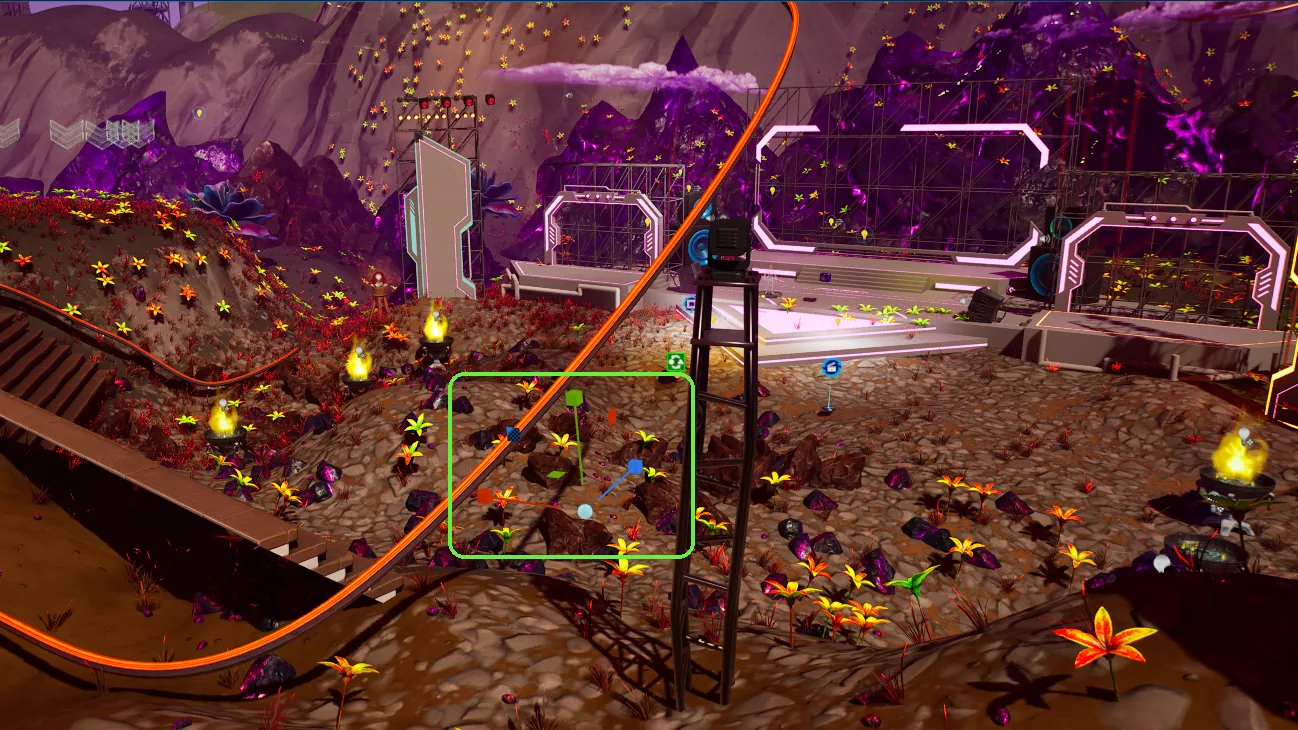
GetFortCharacter[] fails for anyone mid-respawn, and that player is skipped with no error. A mass teleport can look like it hit "some players but not others". It isn't a selection, it's timing. The venue spawner from step 3 is what catches them.
With every tester in the world, all of them arrive at the venue at show start, including one who died a second before, and all of them are back in the world after the show-end.
Hide world markers during the show
If the world has Beacons (for resource nodes, for example), they will be pointing players out of the venue mid-show. Hide them. But a background loop that manages them will re-enable them a few seconds later, and the bug looks random. A flag checked inside the loop beats trying to kill the loop.
In the downloads this is already done: plain beacons go in concert_manager's HideBeacons list, and dropper_manager (tutorial 03) hides its own beacons when its HideMarkersTrigger fires. This is the pattern inside it:
var SuppressMarkers : logic = false

SetMarkersHidden(Hidden : logic) : void =
    set SuppressMarkers = Hidden
    if (Hidden = true):
        for (Node : Nodes):
            Node.Beacon.Disable()
    else:
        for (Idx -> Node : Nodes):
            if (IsActive(Idx) = true):
                Node.Beacon.Enable()

# ...and inside the rotation loop:
if (SuppressMarkers = false):
    Node.Beacon.Enable()
What to place
- Plain beacons: add them to
HideBeaconson the concert device. - Node beacons: on
dropper_manager, setHideMarkersTriggerto the same trigger asShowStartTrigger, andShowMarkersTriggertoConcertEndTrigger.
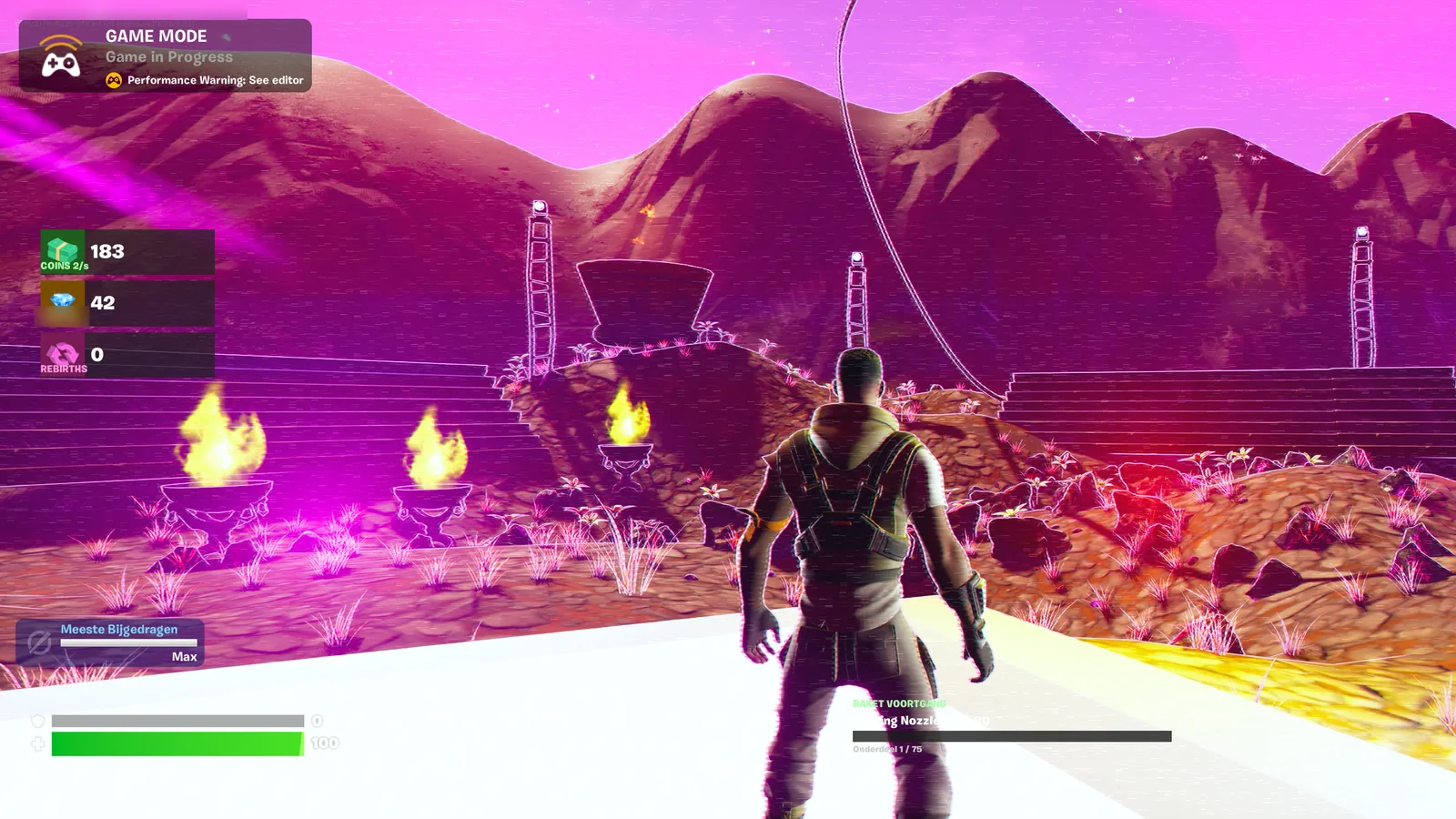
Note the explicit = true / = false. A bare logic in an if doesn't compile: "Expected an expression that can fail".
Through a full rehearsal no beacon appears on the HUD, and within a few seconds of show-end they're back where they should be.
Add a camera flythrough that actually shows the world
A Cinematic Sequence device plays the flythrough (Play(), then StoppedEvent.Await() to continue after it). The fix nobody finds alone: World Partition streams the world in around the player pawn, not around the camera. A camera that flies away from the audience shows empty terrain, because nothing asked those cells to load.
Add a WorldPartitionStreamingSourceComponent to the Cine Camera Actor:
| Property | Value used |
|---|---|
bStreamingSourceEnabled | true |
priority | Highest |
targetState | Activated |
shapes | one shape, bUseGridLoadingRange: false, radius: 15000 |
It looks fine when you test near the camera path. Missing buildings only show in the areas furthest from any player, which is where your audience isn't.
With all testers standing at the venue, the flythrough over the far side of the map shows every building and prop.
The day-of checklist
Every line here is something that really went wrong.